
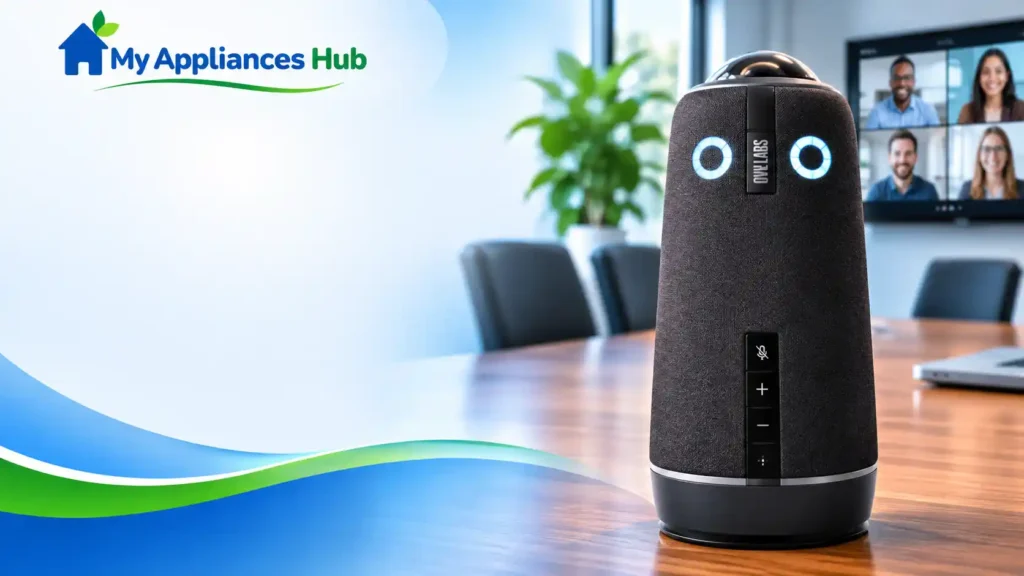
Meeting Owl 4+ Review: Is This 4K Camera Worth $1,799?
Is the Meeting Owl 4+ Worth the Investment?
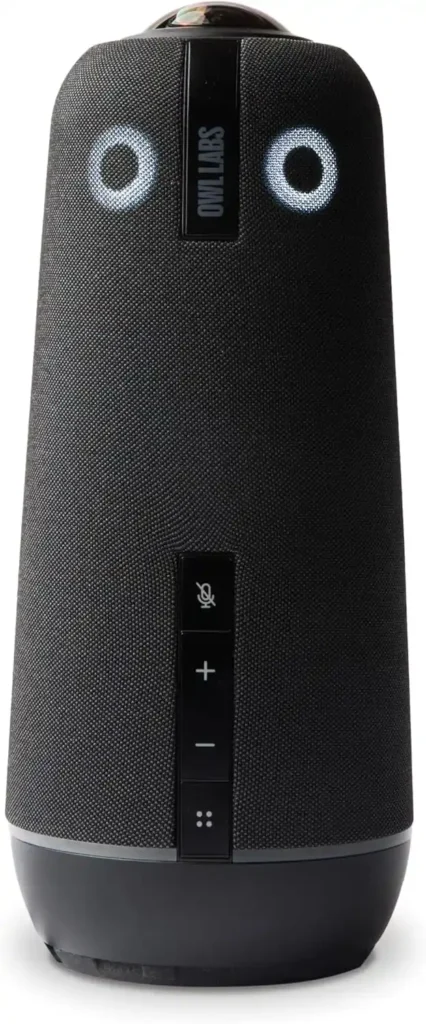
The Meeting Owl 4+ is an all-in-one 4K conference camera, microphone, and speaker system designed to help in-room and remote participants communicate more naturally during hybrid meetings. Its 360-degree camera captures the room, while Owl Labs’ speaker-tracking technology automatically focuses on the person speaking. The manufacturer lists a video capture radius of 10 feet (3 metres) and an audio pickup radius of 18 feet (5.5 metres).
At a listed price of $1,799 on the product page reviewed for this article, it is a significant investment in workplace collaboration technology. The real question for procurement teams is whether its room-wide video and audio, automatic speaker framing, and expansion options justify the cost compared with a conventional webcam, conference speakerphone, or more extensive room system.
Our initial assessment: The Meeting Owl 4+ is most compelling for organizations that regularly hold group meetings around a shared table and need remote participants to see and hear the people in the room. It is less compelling for individual desk calls or teams that only need basic audio conferencing.
Research note: My Appliances Hub has not independently tested this device. This guide draws on manufacturer specifications, TechRadar’s hands-on review, and Amazon customer reviews.
Meeting Owl 4+ Specifications at a Glance
| Specification | Published information |
|---|---|
| Product | Owl Labs Meeting Owl 4+ |
| Model number | MTW405-1000 |
| Device type | 360-degree conference camera, microphone, and speaker |
| Camera output | 4K Ultra HD |
| Camera sensor | 64-megapixel fisheye sensor |
| Field of view | 360 degrees |
| Listed video capture radius | 10 ft (3 m) |
| Microphones | Eight smart microphones |
| Listed audio pickup radius | 18 ft (5.5 m) |
| Speakers | Two integrated speakers |
| Host connection | USB-C to a computer |
| Network options | Wi-Fi; Ethernet via an adapter, subject to configuration |
| Meeting platforms | Zoom, Microsoft Teams, Google Meet, Webex, GoTo Meeting and others, subject to current compatibility requirements |
| Device management | Owl Labs’ Nest management platform |
| Expansion options | Compatible Meeting Owl devices and other supported Owl ecosystem products |
| Warranty | Manufacturer lists a 2-year warranty |
| Price observed | $1,799 on the manufacturer’s product page at the time of research |
Specifications are based on Owl Labs’ product information and the supplied Amazon listing. Confirm the exact package, network configuration, accessories, warranty coverage, and current price before placing an order.
What Is the Meeting Owl 4+?
The Meeting Owl 4+ is a room-centred video conferencing system. Instead of using a conventional webcam pointed in one direction, it captures a 360-degree view from the centre of the meeting area and combines that view with microphones and speakers in one device.
Its Owl Intelligence System uses audio and visual cues to identify the active speaker and adjust the camera presentation. This can make it easier for remote attendees to follow a discussion involving several people around a table, rather than looking at a single wide shot in which every participant appears small.
The product is designed for hybrid collaboration, including conference rooms, training spaces, meeting areas, and organizations that want a repeatable setup across multiple rooms. It connects to a host computer for video conferencing, while the manufacturer’s software and management tools support configuration and deployment.
4K Video and 360-Degree Camera Coverage
One of the Meeting Owl 4+’s main selling points is its 4K Ultra HD camera output. Owl Labs specifies a 64MP fisheye sensor and a 360-degree field of view, with a stated 10-foot video capture radius.
For a business, the value of 360-degree capture is not simply the resolution. It is the ability to show the whole meeting area while also presenting a more focused view of the person speaking. This is particularly useful when participants sit on multiple sides of a conference table and remote colleagues need visual context about who is contributing.
However, a 4K camera does not guarantee that every remote participant will receive a 4K video stream. Actual video quality can depend on the conferencing platform, computer, network, meeting settings, display, and how the platform processes incoming video. Buyers should test the full meeting workflow rather than judging the device by the resolution specification alone.
TechRadar’s hands-on review reported noticeably sharper video than the earlier Meeting Owl 3 and described the automatic speaker presentation as a key part of the experience. That provides useful independent context, although it does not replace testing the device in your own room.
Microphone Pickup, Speakers, and Automatic Speaker Tracking
The Meeting Owl 4+ includes eight smart microphones and two integrated speakers. Owl Labs specifies an audio pickup radius of up to 18 feet (5.5 metres).
Its microphones are designed to help identify speakers and balance the meeting’s audio, while the camera system uses speaker detection to adjust the view. This combination is more relevant to a group meeting than a conventional webcam with a small built-in microphone.
In the Amazon reviews supplied for this article, several customers praised the room-wide microphone pickup and the ability to see participants around a table. One reviewer reported a slight delay when the camera changed from one speaker to another. These are individual user experiences, not controlled performance tests, but they identify practical questions worth checking during a product demonstration.
TechRadar also observed a brief transition when the system switched between active speakers during its review. In a fast-moving discussion, the framing transition may be noticeable. For most procurement decisions, the more important test is whether remote participants can consistently hear contributors and understand who is speaking.
Procurement tip: Arrange a live demonstration with people seated at different distances and angles. Test quieter speakers, overlapping conversations, background noise, room echo, and participants seated near windows. A device’s stated pickup radius should not be treated as a guarantee of identical audio quality at every point in every room.
Setup, Compatibility, and IT Management
Owl Labs describes the Meeting Owl 4+ as a plug-and-play device that connects to a host computer over USB-C. The manufacturer says a team can move from unboxing to its first meeting in approximately six minutes, although actual deployment time will depend on IT policies, software updates, permissions, and network configuration.
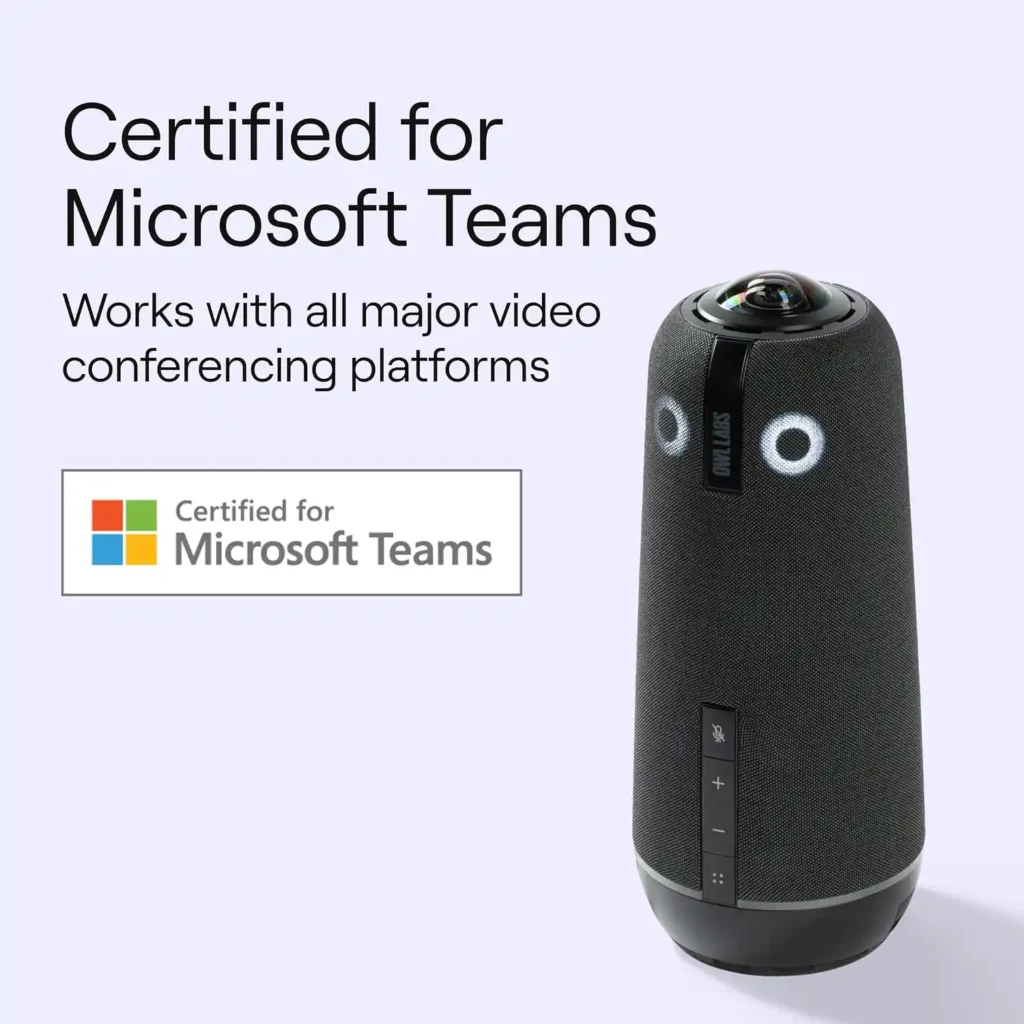
The device is designed to work with common video conferencing platforms, including Zoom, Microsoft Teams, Google Meet, Webex, and GoTo Meeting. Microsoft also lists the Meeting Owl 4+ among its certified Teams hardware. Compatibility should still be confirmed against the organization’s exact computer, operating system, conferencing setup, and any room-system requirements.
For organizations managing several meeting rooms, Owl Labs’ Nest platform provides fleet-management capabilities such as bulk registration and default settings. That can be valuable when IT teams need to standardize equipment and configuration across multiple locations rather than configure each device independently.
The Meeting Owl 4+ also supports enterprise-oriented features, including a Kensington lock slot and an Ethernet connection option through a compatible adapter. Buyers should verify whether the exact configuration they plan to purchase meets their network security, physical security, and deployment requirements.
Does the Meeting Owl 4+ need Wi-Fi?
The device connects to the host computer for meetings over USB-C. Network connectivity may be used for software updates, management, and other supported functions. The precise requirements depend on the features and deployment configuration your organization intends to use, so IT should check the current manufacturer documentation before installation.
Can it work with Microsoft Teams and Zoom?
Owl Labs lists compatibility with major conferencing platforms, including Zoom and Microsoft Teams, and the Meeting Owl 4+ is listed in Microsoft’s certified Teams hardware directory. Confirm the latest supported configuration and software requirements before standardizing it across a business.
Can You Expand the Meeting Owl 4+ for Larger Rooms?
The Meeting Owl 4+ is designed to work as a standalone unit or as part of a compatible Owl Labs setup. Depending on room layout and requirements, organizations can explore pairing supported Meeting Owl devices, adding an Expansion Mic, or integrating compatible products such as the Owl Bar.
This flexibility matters because meeting spaces vary considerably. A compact room with participants seated around one table may work well with one device, while a long conference table, classroom, or larger room may require additional equipment.
Owl Labs’ official Owl Connect video describes supported multi-device configurations and explains that pairing can extend audio and video coverage. The video gives examples of up to 28 feet of end-to-end video coverage and 44 feet of end-to-end audio coverage for two paired Meeting Owls. A Meeting Owl paired with an Owl Bar is described as providing up to 18 feet of end-to-end video coverage and 26 feet of end-to-end audio coverage.
Those figures apply to the configurations described by the manufacturer; they should not be interpreted as universal room-size guarantees. Compatibility, positioning, device combinations, acoustics, and room geometry all matter. Verify the specific combination and accessories needed for your layout before budgeting.
What Do Customer Reviews Say About the Meeting Owl 4+?
The Amazon listing supplied for this review showed a rating of 4.4 out of 5 from 93 reviews at the time of capture. The review count and rating may change, so readers should check the live listing for current information.
The supplied customer reviews point to several recurring themes.
Reported strengths
- Ease of setup and a mostly plug-and-play experience.
- The ability to see participants around a meeting table.
- Room-wide microphone pickup.
- Automatic speaker focus that helps remote attendees follow group discussions.
- Use in office meetings, board meetings, and small conference rooms.
Reported concerns
- One customer described a slight delay when the camera switched between speakers.
- One customer questioned whether the image quality met their expectations of 4K.
- One reviewer wanted louder speaker output.
These comments should be treated as individual reports rather than proof that every unit will behave the same way. The difference between customer expectations and real-world performance is exactly why a business should run a demonstration under realistic room conditions before approving a high-value purchase.
The manufacturer also publishes a collection titled 20 Honest Meeting Owl Reviews. It includes positive reports from organizations using the wider Meeting Owl product range. Because that collection is published by Owl Labs and includes experiences with different Meeting Owl generations, it is useful for understanding reported use cases but should not be treated as independent testing of the Meeting Owl 4+ specifically.
Is the Meeting Owl 4+ Worth $1,799?
The value depends on the cost of the problem the device is intended to solve. If remote participants regularly struggle to hear people around a conference table or cannot follow who is speaking, a room-wide camera and microphone system may improve the meeting experience. If the organization mainly holds one-to-one calls, the extra camera coverage and expansion ecosystem may go unused.
A sound purchasing decision should compare the full cost of deployment with the operational benefit expected from the equipment.
When the Meeting Owl 4+ may be worth buying
- Hybrid meeting rooms: Teams frequently combine in-person and remote participants.
- Conference tables with several speakers: The organization needs a room-wide view and automatic speaker framing.
- Training and collaborative sessions: Participants need to contribute from different seats in the room.
- Multi-room deployments: IT teams want a consistent device family and centralized management options.
- Growing room requirements: The business may need supported expansion options as its meeting spaces change.
When to consider an alternative
- Individual desks or small private offices: A conventional webcam or USB speakerphone may cover the actual requirement at a lower cost.
- Audio-only meetings: The 360-degree camera may provide little extra value.
- Large or unusually shaped rooms: A dedicated room system, multiple cameras, additional microphones, or a different camera arrangement may be more appropriate.
- Strict network or room-system requirements: Confirm compatibility, management, and security requirements before choosing a USB-centred device.
- Tight procurement budgets: Compare the Meeting Owl 4+ with less expensive conferencing systems and calculate the complete deployment cost.
Meeting Owl 4+ vs. Other Conference Room Camera Options
There is no single best conference camera for every workplace. The right choice depends on the room layout, the number of participants, the existing conferencing platform, and whether the organization needs video, audio, or both.
| Option | Most suitable for | What to evaluate |
|---|---|---|
| Meeting Owl 4+ | Table-centred hybrid meetings requiring 360-degree capture | Speaker tracking, audio pickup, room geometry, ecosystem expansion, total cost |
| Conventional webcam | One presenter or a small group facing one screen | Camera framing, microphone quality, placement, and price |
| USB conference speakerphone | Audio-first meetings where video is not essential | Microphone pickup, echo handling, speaker output, and room size |
| Front-of-room video bar | Meetings where participants face a display or presentation wall | Camera field of view, microphone coverage, tracking, and room integration |
| Enterprise room system | Standardized, managed conference rooms with more complex requirements | Platform certification, network integration, control systems, support, and lifecycle costs |
For a direct comparison, consider alternatives such as the Logitech MeetUp range, Yealink conference systems, and other 360-degree conference cameras. Compare current models and verified specifications rather than assuming products in the same category provide equivalent features.
A useful procurement exercise is to shortlist two or three devices, test them in the intended room, and record how well each handles quiet speakers, movement, lighting, network restrictions, and the conferencing platform used by employees.
Total Cost of Ownership: What Procurement Teams Should Check
The purchase price is only one part of the investment. Before approving the Meeting Owl 4+, calculate the total cost of ownership (TCO) over the period your organization expects to use it.
Include:
- Base device cost: Confirm the current price and exact model.
- Accessories: Check whether the chosen room needs an Expansion Mic, adapter, mounting solution, or additional Owl device.
- Deployment labour: Account for IT setup, network approval, testing, and employee instructions.
- Compatibility and management: Verify software, device-management, and security requirements.
- Support and warranty: Confirm the warranty applicable to the purchased unit, the support process, and any optional coverage.
- Replacement and lifecycle planning: Consider expected service life, repair options, and how the equipment fits the organization’s refresh cycle.
For example, if the camera is intended to improve hybrid meetings across several rooms, evaluate the cost per equipped room and the number of employees who will use it. If it is intended for a single room with infrequent meetings, the investment may be harder to justify.
Do not assume that a higher-resolution camera automatically delivers a higher return. The strongest business case connects the product’s actual capabilities to a documented meeting-room problem.
Frequently Asked Questions
What is the Meeting Owl 4+?
The Meeting Owl 4+ is an all-in-one 360-degree video conferencing device from Owl Labs. It combines a 4K Ultra HD camera, eight smart microphones, and two speakers, with automatic speaker focus designed to help remote attendees follow in-room discussions.
How much does the Meeting Owl 4+ cost?
The manufacturer’s product page showed a price of $1,799, reduced from $1,999, when checked for this article. Prices, promotions, and package contents can change, so verify the current price and included accessories before purchasing.
Is the Meeting Owl 4+ a 4K camera?
Yes. Owl Labs specifies 4K Ultra HD output and a 64MP fisheye camera sensor. However, the resolution received by remote participants also depends on the conferencing platform, host computer, network, and meeting settings.
How far can the Meeting Owl 4+ pick up audio?
Owl Labs specifies an audio pickup radius of up to 18 feet (5.5 metres). Actual results can vary with room acoustics, background noise, speaker position, and configuration. Test the device in the intended room before relying on the published range.
Does the Meeting Owl 4+ work with Microsoft Teams and Zoom?
Owl Labs lists compatibility with Microsoft Teams, Zoom, Google Meet, Webex, GoTo Meeting, and other platforms. Microsoft also lists the Meeting Owl 4+ among its certified Teams hardware. Confirm the latest software and deployment requirements for your environment.
Can you pair two Meeting Owl devices together?
Owl Labs supports pairing compatible devices through its Owl Connect ecosystem. Pairing can expand coverage in suitable rooms, but supported combinations and the required setup vary. Confirm the current compatibility guide before purchasing additional devices.
Does the Meeting Owl 4+ need an Ethernet connection?
Ethernet is not the only network option. The manufacturer lists Wi-Fi support and Ethernet connectivity through an adapter, depending on configuration. Check the current specifications and your organization’s network requirements before selecting a connection method.
Is the Meeting Owl 4+ worth buying for a small business?
It may be worthwhile for a small business that regularly runs group meetings with remote attendees and needs room-wide audio and video. For occasional calls, individual desks, or audio-only use, a simpler webcam or conference speakerphone may offer better value.
What warranty does the Meeting Owl 4+ include?
Owl Labs lists a two-year warranty for the Meeting Owl 4+. Verify the terms that apply to your location and purchase channel, along with the manufacturer’s current support and return conditions.
Final Verdict: A Specialized Tool for Hybrid Meeting Rooms
The Meeting Owl 4+ stands out through its combination of 4K 360-degree video, room-wide audio pickup, automatic speaker focus, and options for expansion across compatible Owl Labs devices. These features make it worth evaluating for organizations that need remote participants to see and hear people around a shared meeting table.
It is not automatically the best conference camera for every office. At a premium price, buyers should compare the total deployment cost, confirm compatibility, and test the product under realistic meeting conditions. A simpler webcam, speakerphone, or front-of-room system may be a better fit for some teams.
The procurement recommendation: Consider the Meeting Owl 4+ when hybrid collaboration is a recurring operational requirement and its room-wide coverage solves a clearly identified problem. Before committing, request a demonstration, validate the room layout and platform compatibility, and compare the complete cost with at least one alternative.
Check the current price and product details: Meeting Owl 4+ on Amazon.
Affiliate disclosure: My Appliances Hub may earn a commission if readers purchase through qualifying affiliate links, at no additional cost to them. Product prices and availability may change.
Sources and Further Reading
- Owl Labs — Meeting Owl 4+ official product page
- TechRadar — Hands-on Meeting Owl 4+ review
- Microsoft — Teams Rooms certified hardware
- Owl Labs — Owl Connect and device-pairing support
- Owl Labs — Supported conferencing platforms
- Amazon — Meeting Owl 4+ product listing